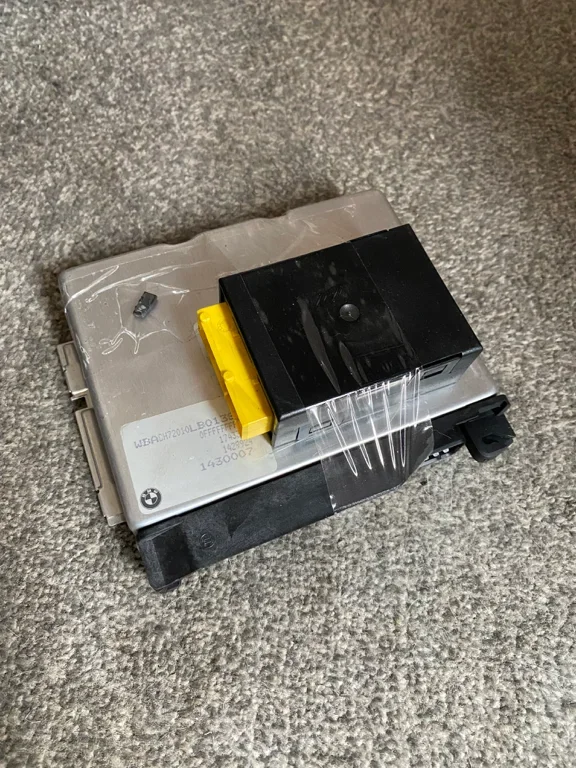

Found this Matt … any use ??
I don’t understand any of it !!!
To sync the EWS (Electronic Immobilizer System) with the DME (Digital Motor Electronics) on a BMW Z3, you must use a BMW-specific diagnostic tool like INPA, ISTA, or BMW Scanner 1.4 to perform an EWS-DME alignment. This process relearns the rolling security codes that frequently fall out of sync after a dead battery or jump-start, resolving a "crank-no-start" condition. [1, 2, 3, 4]
 Critical Pre-Requisites
Method 1: Syncing via INPA (Most Common)
If you are using the standard factory dealer software INPA, follow these sequential steps:
Method 2: Syncing via ISTA/D (Rheingold)
If you are using BMW's modern workshop application ISTA/D:
What to do if you are swapping a Used DME
If you are replacing a failed engine computer with a used donor unit from another car, a simple diagnostic sync will not work right away. The EWS module and the DME must share an identical security string called an ISN (Individual Serial Number). [1, 2]
I don’t understand any of it !!!
To sync the EWS (Electronic Immobilizer System) with the DME (Digital Motor Electronics) on a BMW Z3, you must use a BMW-specific diagnostic tool like INPA, ISTA, or BMW Scanner 1.4 to perform an EWS-DME alignment. This process relearns the rolling security codes that frequently fall out of sync after a dead battery or jump-start, resolving a "crank-no-start" condition. [1, 2, 3, 4]
Critical Pre-Requisites- Battery Voltage: Connect a battery charger to ensure your voltage remains strictly above 12.5V to 14V during the entire process. If voltage drops, the synchronization will fail and could corrupt the modules. [1, 2, 3]
- Connection Port: For early Z3 models (pre-2001), you must use the round 20-pin diagnostic connector under the hood using a 20-pin to OBD2 adapter. The standard OBD2 port under the dash on these older models will not communicate with the EWS module. [1, 2]
Method 1: Syncing via INPA (Most Common)
If you are using the standard factory dealer software INPA, follow these sequential steps:
- Connect your K+DCAN cable to the car's 20-pin round port (under the hood) and plug it into your laptop.
- Turn the ignition key to Position 2 (ON), but do not start the engine. Open INPA.
- Select your chassis (F3 for E36 / Z3).
- Select Engine and choose your specific engine/DME variant (e.g., MS41 for 1.9L/2.8L single-VANOS, MS42 for 2.0L/2.5L/2.8L dual-VANOS, or MS43 for 3.0L).
- Press F5 (Activations / Ansteuerung).
- Press F6 (EWS Alignment / EWS-Abgleich).
- Press F2 (Reset / Startwert zurücksetzen) to clear the older rolling code mismatch.
- Turn the ignition key completely OFF for exactly 25 seconds to allow the DME to save the new alignment.
- Turn the key and start the vehicle. [1, 2, 3, 4, 5, 6]
Method 2: Syncing via ISTA/D (Rheingold)
If you are using BMW's modern workshop application ISTA/D:
- Connect the cable, turn the ignition to Position 2, and perform a complete vehicle identification scan.
- Navigate to the top tabs and click Vehicle Management -> Service Functions.
- From the left menu column, select 01 Drive -> Engine Electronics (DME) -> Adjustment functions.
- Select DME - EWS Alignment and click Display to run the automated test plan.
- Follow the on-screen prompts which will instruct you to clear the values, switch the ignition off for a specific countdown, and switch it back on. [1, 2, 3]
What to do if you are swapping a Used DME
If you are replacing a failed engine computer with a used donor unit from another car, a simple diagnostic sync will not work right away. The EWS module and the DME must share an identical security string called an ISN (Individual Serial Number). [1, 2]
- For EWS2 (Z3 models made before 09/1998): You can bypass this restriction using INPA. Read the 3 or 4-digit ISN string directly out of the donor DME, switch over to the INPA EWS module coding menu, select F1 (Write ISN), and type that code into your factory EWS module. [1, 2]
- For EWS3D (Z3 models made after 09/1998): The ISN cannot be easily rewritten via software diagnostics. You will either need an electronic chip programmer (like an AK90+ or XProg) to read and modify the physical EEPROM dumps, pay an auto-locksmith to chip-tune an "EWS Delete" into the DME firmware, or install a physically matching set containing a donor DME, EWS unit, and transponder key chip together. [1, 2, 3, 4]